

Give customers a box they'll never get bored of
A build-your-own box (BYOB) gives subscribers agency: instead of a fixed set of products, they pick what goes in each box from an allowed selection. It's one of the strongest levers against churn from 'I got bored of it' — and in Curobi it's a native feature on the Pro plan, alongside curated boxes and one-time box mode.
Curobi's build-your-own box lets a customer assemble their own recurring box from a set of eligible products each cycle — within a per-item limit and before a billing cutoff that locks the selection before the recurring charge is created.
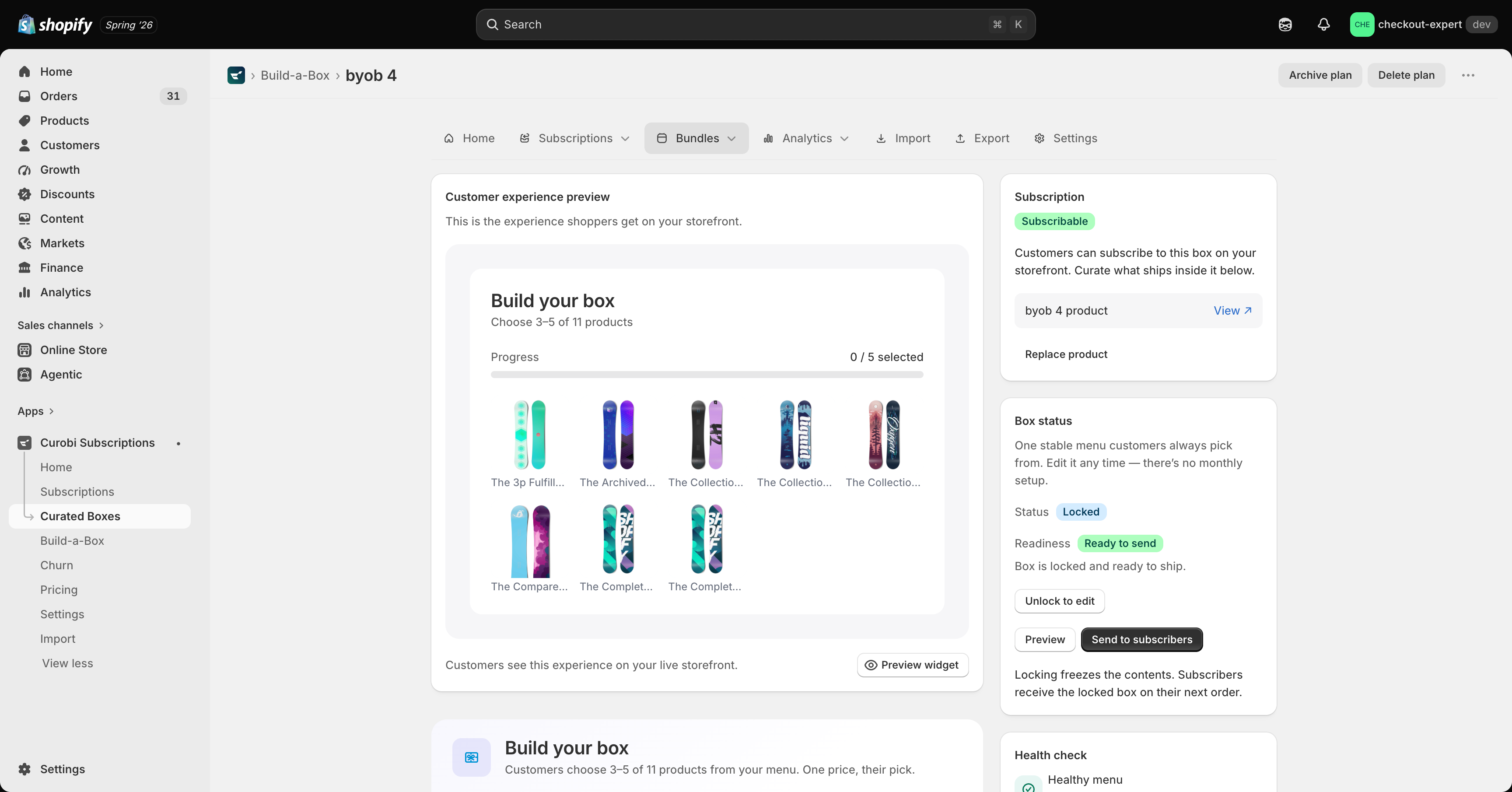
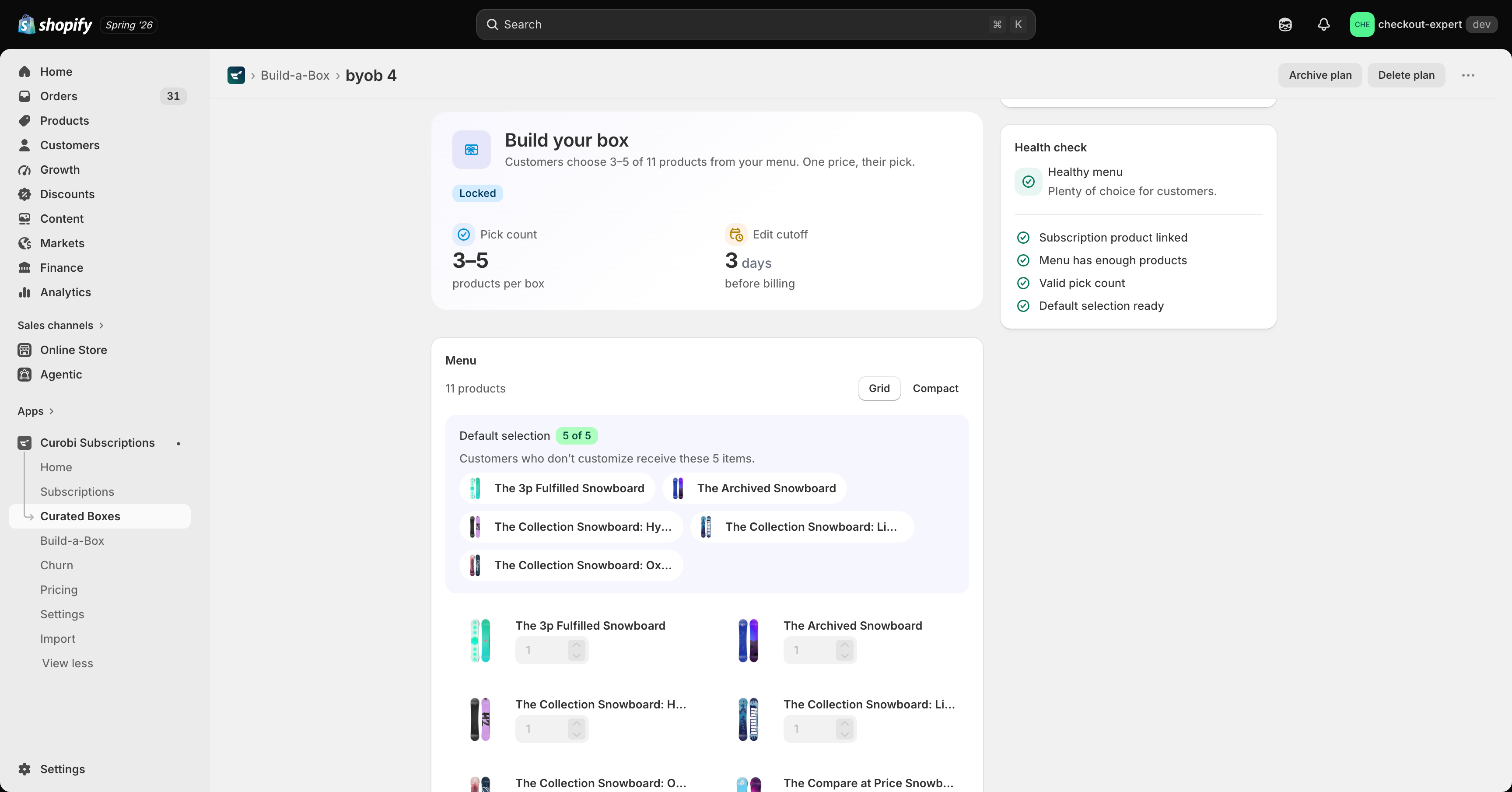
The mechanics that make BYOB work are a per-item limit (choose any 3 of these 12) and a cutoff — the point before the recurring charge is created when the customer's selection is locked in. Without a cutoff, you can't reliably fulfill what was ordered. Curobi enforces both.
BYOB is popular in coffee, snacks, beauty, and pet categories because it keeps the box feeling fresh and personal. For a coffee roaster, that's pick-your-roast, whole bean or ground, one bag or three — assembled by the subscriber and locked before roast day.
What Build Your Own Box gives you
- Customers assemble their own recurring box from eligible products
- Enforced per-item limits (choose any N of M)
- Billing cutoff locks the selection before the charge is created
- Available on the Pro plan, alongside curated and one-time boxes
- Ideal for coffee, snacks, beauty, and pet categories
How to set up a build-your-own box in Curobi
Choose the eligible products
Pick the set of products a subscriber can choose from for the box.
Set the per-item limit
Define how many items make up the box (for example, any 3 of 12).
Set the billing cutoff
Set the cutoff so each subscriber's selection is locked before the recurring charge is created.
Publish the box
Add the box to your storefront so customers can build and subscribe.
Related terms: Build-Your-Own Box, Subscription Box, Mix & Match.
Questions merchants ask
- What is a build-your-own subscription box?
- A build-your-own box lets a customer assemble their own recurring box from a set of eligible products — for example, choosing which coffee bags go in this month's shipment. Curobi enforces per-item limits and a billing cutoff, so the box is locked in before the recurring charge is created. Merchants can also ship a curated box they assemble themselves that rotates on a schedule.